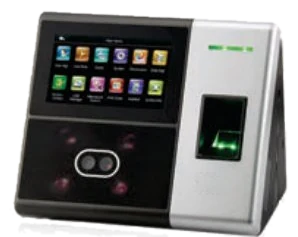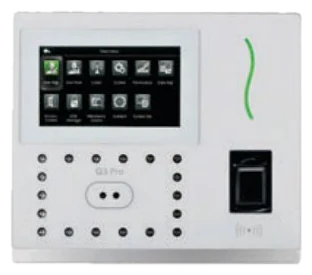
Most ZKTeco and eSSL attendance machines come with free desktop software that installs on one office computer and pulls punches from the machine. It works well for a single office with a few dozen staff. Cloud attendance software does the same job over the internet and adds payroll, mobile access and several branches. This guide explains the difference so you can choose the right one.
How desktop attendance software works
- It is installed on one Windows computer in the office, usually with a local database.
- The computer has to be on, and on the same network as the machine, to download punches.
- Reports are seen on that computer; HR away from the office cannot see today’s attendance without remote access.
- Salary is often worked out separately in Excel from the attendance report.
- Backup of the database is the office’s own responsibility.
How cloud attendance software works
- The machine sends each punch over the internet to the software as it happens, so no office computer has to stay on.
- HR, managers and owners open it on a phone or laptop from anywhere, with role-wise logins.
- Shifts, late marks, overtime, leave and holidays are worked out by rules, and payroll with PF, ESI and payslips can be part of the same software.
- Several branches and machines appear in one account.
- Employees can apply for leave and see payslips on their phone, and field staff can punch from a mobile app where the software offers it.
Quick comparison
| Point | Desktop software | Cloud software |
|---|---|---|
| Office computer must stay on | Yes | No |
| See attendance from a phone | Only with remote access | Yes |
| Several branches | Difficult | One account |
| Payroll and payslips | Usually in Excel | Built in (depends on the product) |
| Employee self-service | No | Leave, payslips, mobile punch |
| Cost | Free with the machine | Subscription or bundled |
Which should you choose?
Stay with desktop software if you have one office, a few staff, someone who runs reports on the office computer and salary that is simple to work out. Move to cloud software when you have more than one site, rotating or night shifts, field staff, or when month-end salary in Excel takes too long.
Your existing machine usually does not need to be replaced: most current ZKTeco and eSSL face and fingerprint machines can send punches to cloud software. We check your model first.
Our cloud software: Mapple HR
Mapple HR is our own cloud attendance and payroll software for ZKTeco and eSSL machines, with shifts, leave, payroll with PF and ESI, payslips, a bank file and an employee app. It is free for the first year when you buy the attendance machine from us. Call 97119 00801 for a demo on your own machine.
Frequently asked questions
Can I use cloud software with my existing attendance machine?
Usually yes. Most current ZKTeco and eSSL face and fingerprint machines can push punches to cloud software over the internet. Older models may not, so we check the model before you decide.
Is my attendance data safe in cloud software?
In a good cloud product each company has its own separate account and logins, and staff see only what their role allows. Ask the provider how logins, backups and access are handled.
Will I lose my old attendance records if I move to the cloud?
No. The old records stay in your desktop software and its reports. The cloud software starts recording from the day the machine is connected to it.
Our engineers can visit your site and recommend the right option. Call +91 97119 00801 or request a quote.